Skip to content

community

From side project to Procyon: a look behind

As we are approaching the last quarter of the year, it is normal for me to look back at all that has been done in the last months, evaluate the current state of the project and plan for the future.

Live fast, and eat trash (a.k.a. reuse code)

The Raccoon client for Mastodon and Friendica was started during the summer of 2024, as a spin-off of the Lemmy client, whose development had started approximately a year before. The initial core was assembled in a short time, taking heavy inspiration from the already established app, trying to reuse as much as possible of the existing code.

The strategy was, more or less: take the existing architecture, switch the APIs to be compatible with Mastodon/Friendica instances, rewrite the content rendering engine (since Lemmy posts were Markdown-based while Mastodon posts are HTML-based), distribute it fast and see how it is received by the public.

There were minimal variations in the tech stack, e.g. using Room Multiplatform instead of SQLDelight for local persistence, using Sentry for crash reporting (instead of saving traces on device and rely on manual reports), using Mokkery in commonTest instead of MockK on androidHostTest.

KMP in its infancy: the technical debt

As a result, large portions of technical debt inherited from an era when KMP was immature were still sitting there:

  • localization used Lyricist (instead of the CMP resource system);
  • DI using Koin with classic DSL (despite annotations being available);
  • Voyager navigation (despite Compose Navigation being ported to multiplatform);
  • endpoint calls used Ktorfit (breaking at every KSP update);
  • setting encryption still used deprecated EncryptedSharedPreferences on Android;
  • build configuration was scattered in individual scripts across subprojects, with subsequent duplication and potentially subtle inconsistencies.

Paying it back: modernizing the stack

Starting from the end of 2024 and for most of 2025, besides reaching feature parity with existing clients and fixing bugs, I always allocated a great amount of time to evolve the project and pay off that debt.

At the beginning of 2026, the situation was the following:

  • resources and localization had been ported to the built-in CMP system, but icons still relied on Google's Material Icons set, which has been deprecated in the meantime;
  • DI was ported to Koin with KSP annotations, breaking reproducible builds, so Kodein was introduced as a temporary replacement until a more modern solution became available;
  • the navigation system was ported to Compose Navigation with regular AndroidX ViewModels;
  • network calls were implemented with plain Ktor, no need for Ktorfit adapters;
  • a custom layer for preference encryption on Android was introduced;
  • build logic was centralized in a set of convention plugins, consistently applied throughout all subprojects for configuration.

Breaking changes and the road to 1.0

In the meantime, Gradle 9 and AGP 9.x were released, making the project's very structure and most of the build logic obsolete.

Therefore, a series of tough decisions had to be made in order to keep the project "healthy" and release a stable 1.0.0 version:

  • revamp the project's website and documentation to get a more modern and functional look (using Zensical);
  • update Gradle and AGP, aligning with the now recommended project structure;
  • add the JVM target and introduce desktop (with .deb package published at every stable release);
  • introduce support for tablets and large screens using adaptive layouts;
  • replace Material Icons with Material Symbols.

And that was exactly what I prioritized for version 1.0.0, which was released on June 8th, 2026.

Beyond 1.0: surfing the KMP bleeding edge

After the first stable release, I started working on the areas which still needed improvement, such as:

  • Navigation 3 with the concept of Scene and SceneStrategy offers a much more elegant solution to the problem of adapting navigation and screen layout to the available screen size;
  • a new player entered the DI scene on KMP: Metro, which finally promises to solve all the issues of previous solutions: conciseness, compile-time safety, power and flexibility;
  • a new Preview annotation to be used in common code was introduced, making setup easier and cleaner.

Those were essentially the areas where I have been working in the last months, alongside a lot of code cleanup and keeping an "aggressive" update strategy for Kotlin versions (adopting new features as they emerged, e.g. explicit backing fields or the unused return type checker).

New features were added as well, in the meantime, such as:

  • support for quote posts on Mastodon;
  • content translation with LibreTranslate;
  • implementing cross-instance exploration;
  • adding themes for the reply bar in forum view;
  • improve search and suggestion functionality with the transition to /v2 endpoints.

What now? A look ahead

What can be expected for the immediate future, then? First of all, I finally feel that I have a solid foundation to build upon, thanks to the modernization effort I've engaged in.

For sure, on the feature side, support will be added for new Mastodon 4.6 features, such as user collections.

On the UX side, I'd like to leverage some new features of CMP (e.g. Grid) for better attachment rendering (instead of the existing carousels).

Finally, tech-wise, I am looking forward to the moment when rich errors are introduced in the language.

In the meantime, I still have to adopt other language features already in preview, like name-based destructuring. Or, since androidx.lifecycle:lifecycle-*:2.11.0 (and its multiplatform port) introduced Scoped ViewModels, this will be the occasion to isolate responsibilities and trim some VM which had grown too large.

The Intentional Raccoon: Why I Code the Hard Way

Do you remember the reaction my admin friend got when they published a post about Raccoon's 1.0.0 release on lemmy.world?

Lemmy users will be Lemmy users: radical, aggressive, self-referential. I tried to work "for" them in the past and create a client app, but for my IRL mental sanity I had to take several pauses over time, and now I am considering archiving that project altogether.1

Let alone the attitude, let alone that the OP was accused of being a bot for using a human expression like "finally", the concerns expressed are real and shared by more and more people.

The Reverse Turing Test

As the Internet is being flooded by AI-generated content, some people are becoming paranoid about "AI slop". It seems like they have nothing better to do than Turing-test everything to detect any non-human footprint and, if they do, they start throwing stones, crying about techno-feudalism, spread alarmism about electricity or water consumption, etc.

What made me most sad about this episode is that the person who was accusing didn't spend any time trying to understand who he was talking to and what he was talking about. So, here is my attempt to clarify who I am and what my personal position is on AI usage in OSS development, especially as side-projects are concerned.

A Choice of Freedom

I got a university degree in CS. I've been working in IT for fifteen years at several different companies. I've been experiencing on my own skin what being into the "meat grinder" feels like, long before 2022 when ChatGPT promised to solve all mankind's (and programmers') issues.

At work, I have to deal with unrealistic deadlines (not decided by me), maintain legacy code ( written by people who left the company), adhere to conventions or obey someone else's decisions ( I don't fully share).

Even when, how much and from which provider to use AI is not my decision from 9 to 6, when I sit at my desk in the office.

Side projects have always been an "escape way" to me. When I come home (in evenings and weekends) and open my IDE I have a totally different approach. I am free to experiment, scout new technologies I like, learn things I choose, set my own schedule and priorities without checking the clock, write and organize code according to my personal taste. There's more, usually I solve real problems I experience in my life in first person.

There is something deeply personal in that. It makes me feel the joy of creating something with my commitment, week after week, like growing a tree. It makes me feel a sense of achievement whenever I implement a feature request or fix a bug, which is greater the more difficult it was to get to the solution, like in a videogame (quest - reward).2

To be honest, developing "at my pace" also has a nostalgic bit to it: it reminds me of an era when developing software still had some "craftsmanship" in it, when I was younger and the future still seemed bright.

If I vibe-coded my apps, what would I get? I would give up on all creativity. The "videogame" dynamic would almost be gone. I wouldn't learn anything which enriches me as a person and as a professional.

Assembly vs. Craft

Working in my 9-to-6 job has always felt like being in an assembly line. You clock in, the machine starts grinding, you have to follow the rhythm, there's no questioning. Efficiency (reduce time to save company's money), functionality (adhere to requirements someone else decided), predictability (enforce standards and prioritize repeatability) are key.

But we all remember «Modern Times» by Chaplin, that is alienating. I am not saying that in my Raccoon apps everything is handmade, I use several third-party libraries and I didn't reinvent the wheel for networking, persistence, data (un)marshaling, UI, etc. But I still choose how all the pieces fit together, like assembling an IKEA piece of furniture.

And, I will never insist too much on it, there's value in learning something the hard way, trying things out, disassembling and reassembling elements to study the internals, is not at all a waste of time. Scientists and technicians, we need to experiment, observe and interpret our results to progress. And the struggle is a great teacher in that: remove the struggle, impoverish the learning.

And resorting to shortcuts is self-inflicted damage too. AI may be wiping out the process of writing code, especially at big scale in large companies. But the ability to understand the "why" behind each line of code is not being superseded: you need it to evaluate and review AI generated code.

Conclusion: Pro-Intentionality, not Anti-AI

The fact that Linus Torvalds recently said that AI is clearly a useful tool, that Linux is not an anti-AI project, and that anyone with issues with that should fork it and go their way, has generated a lot of debate (source here).

Yes, that is true, especially in a project like the Linux kernel where efficiency and scale are the only metrics. For industrial usage, AI makes perfectly sense from an economic point of view.

Nonetheless, the Procyon Project feels like a "workshop" to me (not an industrial "factory") and there is space for human creativity.

Like an artisan pours a little bit of themselves in each one of their works, when side projects are approached like a craft (and not a utility) something similar happens. And the "soul" emerges in little weird details, e.g. some play on words in the theme names.

LLMs aim for the "average" result based on their training data, human work aims for specificities. To me, like to many other devs I guess, there are projects which feel like a "sacred space" for manual craft.

Question

Where do you draw the line between using AI for productivity and letting it take over the "fun" part of your development process?


  1. Or, rather, merging the Lemmy client into the Mastodon / Friendica one, since it is already multi-instance. ↩

  2. The more problems I solve, the more experience I gain, which makes me a better professional in my 9-to-6 job, stay tuned for more in a future article. ↩

Is this the end of sideloading on Android?

If you've been following the news from Google I/O 2026, you probably felt a bit of a chill down your spine when the "Android Developer Verification" initiative was announced. For those who were too busy debugging like me, the news is: starting September 30, 2026, Android will change how it handles apps installed outside Play Store.

TL;DR: Every single Android app, regardless of how it's distributed, must be linked to a verified developer identity. If an app is not registered by a verified dev, users will have to go through a new "Advanced Sideloading Flow": this includes a mandatory 24 hour "cooling-off" period, biometric checks, and a warning that you might be getting scammed (see the official Android Developers Blog for more information).

The "Safety" Argument

Google's reasoning for this change is, as expected, centered on security and fraud prevention. The goal is to eliminate the "shadow economy" of malicious APKs used in social engineering scams. Requiring a traceable identity for every piece of code that runs on a certified device, makes it significantly harder for scammers to operate anonymously.

It's basically a KYC approach but targeting developers instead of end users: "Know Your Developers". If a malicious app is found, there's a real person or entity to hold accountable or at least, a verified ID that can be revoked across the entire ecosystem instantly.

Divided Reactions

Reactions from the community was as polarized, as one may expect.

The "Pro" Camp:

Security researchers and enterprise IT managers have largely welcomed the move. For them, the "Wild West" of Android sideloading has always been a liability. Reducing the risk of a "non-techy" relative accidentally installing a banking Trojan via a WhatsApp link is seen as a huge win for the average consumer.

The "Against" Camp:

On the other side, privacy advocates are rightly concerned about the requirement for government-issued ID just to share a hobby project. The F-Droid community and the "Right to Repair" crowd see this as a slow-motion execution of the very thing that made Android great: its openness.

E.g. The 24-hour wait period for unverified apps may be seen as "friction by design"; intended to frustrate users into staying within the "walled garden" of the Play Store.

The Raccoon's Two Cents

As someone who spends a lot of time in the "trash" (aka open-source side projects), I find myself stuck somewhere in the middle.

On one hand, publishing on F-Droid has always been a painful experience for developers. Between the strict requirements for reproducible builds and the manual controls involved, every update feels like rolling a die. You never really know when (or even if) your latest fix will actually reach your users. In a world where F-Droid already struggles with distribution lag, adding a 24-hour OS-level delay on top of it feels like a kick while you're down.

On the other hand, wearing my professional developer hat, I have to admit that quality and requirement verification is more important than ever. The barrier to creating mobile apps has significantly lowered in the AI era which means the market is flooded with low-effort, unsafe, or potentially deceptive software. Some level of accountability is necessary, and Google had already started going down that path,1 if (like me) you choose to distribute your apps through the Play Store, you have to follow the rules, no exception for anyone.

Closing thoughts

Is this the end of sideloading? Not quite (for now). But the days of the "one-tap APK install" are clearly numbered. We're moving toward a future where freedom means more responsibility and awareness of the consequences of your actions.

I'm curious to see how the Fediverse reacts once the rollout hits the pilot countries in September. Until then, I'll be over here, double-checking my developer identity and hoping my reproducible builds actually… well, reproduce.

Question

What do you think? Is the security tradeoff worth the loss of friction-less freedom?

By the way, as of now, the version of Raccoon for Mastodon / Friendica on F-Droid is 0.4.2, despite having released 1.0.0 twenty days ago. After the hard work of making a new release available, it is frustrating to see that users are prevented from installing it (and operating system restrictions are not enforced yet)!


  1. E.g. In November 2023 they introduced a policy that requires developers with newly created personal accounts to conduct closed testing with at least 20 testers for 14 days before applying for production access. ↩

The Raccoon's Dilemma: Balancing Features, Maintenance, and Sanity

The idea of writing about the balance between features and maintenance in our apps has been lingering in my mind for over a year. But it never felt like the right moment, so I kept putting it off… ironically, somehow like the maintenance tasks I'm writing about.

This procrastination alone says a lot about my way of managing open-source side projects. It's a delicate dance between personal life and professional obligations. Days only have 24 hours, weeks only have 7 days (trust me, I've checked)!

Between family, a full-time job, and trying to be a functional adult in these chaotic times, maintaining apps can feel like a secondary full-time job, just without any paycheck.

One might wonder: Why on earth do I do this? It's a fair question. In today's article, I want to pull back the curtain on why Raccoon exists and why our development roadmap looks the way it does.

Longing for the Wild

I've worked as a developer for more years than I'd like to admit (let's say my early code belongs in a museum, or perhaps a dumpster). Throughout that time, I often struggled to find room to experiment. As a junior, every choice was made for me. As I moved into mid and senior roles, I was often tethered to legacy systems or constrained by "steering committees" which is often corporate-speak for «we don't like change».

I don't blame them: companies avoid risk because a bad tech choice can haunt a team for years. So, I was usually left playing in the safe corners of projects.

Even while bouncing between backend, web, iOS, and Android, something was missing. I missed the thrill of building from the ground up. I wanted the freedom to choose a foundation, evaluate it in the real world, and pull a complete U-turn on failure without causing a financial crisis for my employer.

The Perfect Storm

In 2023 the stars aligned. Kotlin Multiplatform1 transitioned from Beta to Stable(and Compose Multiplatform was in Alpha for iOS and stable elsewhere).

Meanwhile, the "Reddit API Apocalypse" killed off third-party clients, driving a massive migration toward the "threadiverse" (Lemmy, Kbin, Sublinks, Friendica, etc.).

On a personal note, in early 2023 I had finally switched to a job that actually respected my evenings and weekends, no more unpaid overtime! 🎉 🦝 🎉

These factors converged into a single goal: build a Lemmy client for Android and iOS using KMP. A year later, the Friendica client followed.

This was my playground. I could try libraries, break things, and discard what didn't work for my use cases (like Koin or Ktorfit).

So, finally, I had:

  • total tech freedom: I was the lead, the junior, and the steering committee.
  • continuous learning: hands-on experience with the bleeding edge.
  • purpose: contributing something useful to an ecosystem I actually believed in.

The "Why" Behind the Trash

Even without a paycheck, the ROI on these projects is massive. It's professional growth and psychological satisfaction rolled into one. It's a process of hypothesis and experimentation, not unlike academic research, but with more raccoons and fewer lab coats.

This also explains why instead of always going on and pile new features one on top of the other, sometimes the development process seems to go in circles: e.g. switching from a network library to another, rewrite the app navigation system, migrate localization from a framework to another, etc.

But why talk about this right now?

Recently, I hit a milestone: version 1.0.0 of the Mastodon/Friendica client. A local admin wrote an announcement about it (in Italian). Then they ran it through machine translation and posted an English version.

You know, the Fediverse is federated, so this propagated to Lemmy, where naturally critics arrived:

Quote

Why are people upvoting this? If OP used AI to 'make' this post, obviously the app is gonna be slop too.

The "proofs"? The word "finally" appeared in the middle of a list. Apparently, to some, using transition words is a sign of a robotic takeover rather than, you know, being relieved that a some longed-for feature is available to end users.

The Human (and Raccoon) Element

This brings us back to sustainability. When we maintain open-source projects, we aren't just pushing code; we're managing a community and navigating the weirdness of the Internet.

The "AI slop" accusation stung, but it also highlighted the irony: I do this work specifically to keep the human element alive in tech. I build these apps so we have independent, non-corporate ways to communicate and I do so because I love software development and learning new technologies.

So, to the "lemming" who thought I was a bot: I'm not. I'm just a developer who likes KMP, hates unnecessary API fees, and occasionally enjoys a piece of "trash" code that eventually may turn into treasure.


  1. At that time it was still called Kotlin Multiplatform Mobile (KMM) for those who remember. ↩

Beyond contentDescription: Accessibility in Compose Multiplatform

Accessibility in a nutshell

Let's start with a quick recap about definitions and general principles. a11y is the practice of designing an environment so that in can be used equally by everyone, regardless of their abilities.

Applied to digital platforms, this boils down to the POUR principles, i.e. the foundational principles identified by the WCAG:

  • Perceivable: information and UI components must be presented to users in a way they can perceive (e.g. images must have alternative text, clickable controls are apparent and their purpose is clear, etc.);
  • Operable: components must be usable and functionalities can be accessed via different inputs (e.g. via touch input or voice commands) without barriers;
  • Understandable: the operation of the UI must be readable, predictable and designed in a way to help users avoid mistakes or guide users to correct them;
  • Robust: content must be reliable to be interpreted by a variety of assistive technologies and resilient to still be usable as they evolve over time.

What Compose offers out-of-the-box

In an application like Raccoon, the simplest and most idiomatic way to create a UI is leveraging the org.jetbrains.compose.material3:material3 library which provides Compose Material 3 components for CMP, i.e. the Material 3 design system by Google.

This has a lot of advantages, it provides a unified "language" to define User Interfaces which follow well-established visual and behavioral patterns by design and from the ground-up. The library is extremely flexible: it provides "ready-made" versions for common UI elements (with several "extension slots" to adapt them to match the target look and feel). Moreover, since it is built upon theorg.jetbrains.compose.foundation:foundation library, when needed you have access to Compose foundational layer to create the custom elements you need. The MD system also comes with a standard library of symbols that have the role of a "visual dictionary" for icons to be used in front-ends.

With respect to a11y, Material 3 components and foundational components themselves have bult-in support for accessibility: they are designed to be recognizable, usable, multi-input and interoperable with assistive technologies (e.g. TalkBack on Android). Most of the time, they work "out of the box" with minimal interventions needed.

Just to make an example, buttons already come with semantics that make them recognizable as interactive components and their default layout has built-in elements (e.g. padding) which make them follow the guidelines for human interaction. If a button's only content were an icon, nonetheless, developers are encouraged to provide a description of the function of the button when the role of the symbol is not clear in its context.

Tip

In general, whenever a graphic element (image or video) is inserted with no textual equivalent, developers need to insert a content description to meet the aforementioned Perceivable requirement.

More specific interventions highly depend on the particular domain the application belongs to.

What we Actually Did

UX for Screen Readers

Raccoon, for example, is client for a social network. This implies that the type of content which is presented most frequently is the "feed": e.g. some kind of timeline with a sequence of posts, the sequence of answers to a given post, the list of posts created by a given user, etc.

In the UI representing a timeline, each post in a timeline has multiple interactive elements (avatar, author name, reply, reblog, favorite, bookmark, options). A screen reader user would have to swipe a dozen times just to get past a single post, which makes scrolling through a timeline cumbersome.

In order to overcome this issue, the main interventions have been:

  • Hiding Granularity: use Modifier.clearAndSetSemantics { } on individual buttons in the footer and header, so that they are removed from the primary focus loop.
  • Merging Descendants: apply Modifier.semantics(mergeDescendants = true) to the entire TimelineItem and TimelineReplyItem, so that the whole post is focused as one single unit.
  • Custom Actions: re-implement the hidden buttons as CustomAccessibilityActions attached to the main post container.

As a result, users can navigate from post to post with a single swipe. If they want to interact, they use the "Actions" gesture of their screen reader to select "Reply", "Favorite", etc.

Danger

A couple of caveats to avoid common pitfalls:

  • mergeDescendants can sometimes hide too much if not used carefully:
  • labels for CustomAccessibilityActions must be localized to remain truly accessible.

Key commits: 1aa17ea and 0b7adf1

Content Parity

In a federated environment like Mastodon or Friendica, content often arrives as raw HTML. Embedded images (inline elements) within post text often had important alt descriptions.

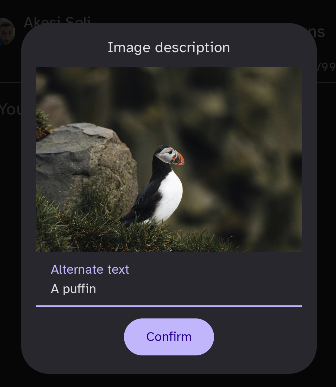
It is important that the value of this attribute is parsed (using Ksoup as a parser), passed up and used either ascontentDescription for Image composables or as alternateText for inline contents insideBasicText composables.

In this way, screen readers can now read the descriptions of images, both when they appear as media attachments and when they are embedded directly in the flow of a post.

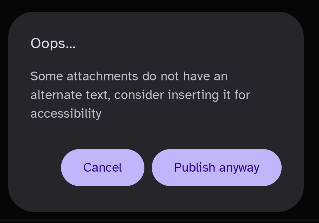
On the other hand, nonetheless, too many contentDescription can also create too much noise: it is important to distinguish decorative VS functional items and annotate just the latter. So, as a part of the validation process, a systematic cleanup of alternate text properties was done.

Key commits: d2fc4dd

Semantic Integrity

A Switch or Checkbox next to a Text composable often results in two separate focus points, which is confusing and inefficient.

The solution to this is using Modifier.toggleable with Role.Checkbox or Role.Switch on the parent Row container, nullifying the onCheckedChange callback to avoid double-handling.

By doing so, the entire row is treated as a single interactive control: when focused, the screen reader announces the label and the state together.

Moreover, large lists like timelines or settings screens are hard to navigate if you can't jump to specific sections.

The solution is to apply Modifier.semantics { heading() } to: - post titles in the Timeline; - headers in the Settings screens.

In this way, screen reader users can change their navigation mode to "Headings" and jump directly from post to post or section to section, skipping the body text entirely if desired.

Key commits: 8ab2772

Community is Key

The overall purpose of dealing with a11y is inclusion, which means that nobody is alone.

Tasks can be overwhelming to tackle all by oneself, but in an inclusive community you can always rely on the support by others.

You may have noticed that the commits liked at the end of the previous paragraphs were not done by a single person.

This is because for Raccoon all the interventions and fine-tuning summarized so far were implemented, tested, and validated by at least two people: pvagner on the one side and the project maintainer on the other.

Why All This Matters

Ultimately, accessibility isn't a checklist or a set of technical hurdles: it is a commitment to our users' dignity. By moving beyond simple content descriptions and thinking about the semantic flow of our apps, we ensure that the Fediverse remains a place where the 'open' adjective in FOSS applies to everyone.

And, for fellow developers, the next time you build a component, ask yourself: is this just visible, or is it truly reachable?


Why I decided to migrate away from the Ktorfit library

Why maintaining an open source app is hard…

Maintaining open source projects is not for the faint of heart. Beyond technical competence it requires commitment and dedication, being able to organize and plan time carefully not only to deal with actual implementations but also for triaging user requests/reports, managing public relationships, reviewing external contributions, organizing internal workforce, etc.

It can be daunting, especially for projects maintained by few people (or just one person) in their spare time, considering we all have our regular jobs, families, hobbies, etc. Working on an application other people use in their day by day can be a great responsibility because final users depend on what you do or won't do.

… and a KMP lib is harder

Maintaining an open source library is even harder, because you are providing the building blocks on which third party apps rely, so the exposure to end-users scales up exponentially, responsibilities are much greater and so is the amount of stress maintainers are subjected to.

Kotlin Multiplatform is highly dynamic and ever-evolving ecosystem, where maintaining a library is almost a nightmare: not only the underlying platforms behind each target evolve continuously and independently ‒ JVM, native (macOS / iOS / WatchOS / TvOS / Linux / Android / MinGW) Wasm, JavaScript ‒ but also each new release of the Kotlin compiler can break things, considering JetBrains hasn't stabilized yet the APIs for compiler plugins, so each new version is potentially breaking compatibility.

Beyond the K2 compiler, the same is valid for KSP (Kotlin symbol processor) which has a release cycle close (but not 100% aligned) with the one of the compiler, with every new version potentially requiring adjustments.

Development previews and Release Candidates for both the compiler and the symbol processors are made available for the community before a new stable release becomes public, in order to give both app developers and library maintainers the time to test and adapt; nonetheless it should not be taken for granted that an open source project (especially if maintained by a small group of volunteers) do so, considering there may be other internal priorities when the new version of an external build tool is released.

Our experience

Initial dilemma and a promised solution

With this in mind, let us consider what happened during the last weeks in our apps. Both the Raccoon apps are using Ktor for networking, due to its excellent flexibility and multiplatform support.

But I was used to Retrofit to write endpoint contracts and abstract away how network calls are performed. Using annotations to define service specifications and rely on code generation to create an implementation which internally calls an HTTP client is convenient and can save writing a considerable amount of boilerplate.

Unfortunately, Retrofit is not available on KMP, so there are two alternatives:

  1. use just the Ktor client, which has a nice DSL to configure the base HTTP client as well as each individual request, plus it offers support for authentication, content negotiation (with several serialization options), logging, etc.
  2. use a library like Ktorfit, which is very similar to Retrofit and offers a familiar set of annotations plus all the advantages of code generation.

I wanted to experiment, so in 2023 chose solution 2, and for the Lemmy app there were no issues using Ktorfit in the beginning.

End of the honeymoon

When in 2024 I started working on the Friendica/Mastodon app, some headaches arrived because in some Mastodon APIs for pagination you need to access both the body and the headers of responses. Doing so requires method signatures to change in service definition (and you have to add an additional converter). Having to deal with Response<T> instead of T as a return type started to feel like the boilerplate I wanted to avoid, but I could use it just where it was needed, so overall it was fine.

When KSP 2 reached the stable stage and became the default in April 2025, both apps broke because implicit inference of dependencies between Gradle tasks (and both the Android and iOS compile tasks depended on kspCommonMainKotlinMetadata) changed. But, again, I adapted my setup after spending some time figuring out how to deal with this issue (not documented), and I still thought the benefits from using Ktorfit outnumbered the disadvantages.

Final breakup

The breakup arrived at the end of June 2025, when Kotlin 2.2.0 and KSP 2.2.0-2.0.2 were released. The library broke again, it was not possible to update the Kotlin Multiplatform plugin, which made it risky to upgrade the Gradle distribution and the Android Gradle Plugin (see here for more compatibility details). As if it wasn't enough, I had recently adopted ViewModels from AndroidX lifecycle library, and an incompatibility between the version of the library available for KMP and the AGP version I was stuck on made the Android lint crash ( see here), so my CI pipelines were broken and I had to skip a beta release.

Someone had already filed an issue to Ktorfit maintainers, but the days passed and the fix, even if a contributor had submitted a solution already, was not being merged. People started asking for updates (which is understandable considering the amount of issues I found myself in too) and I took part in the discussion wondering whether this KSP release was the gravestone for the library and switching to plain Ktor (i.e. solution 1) would allow me to escape the impasse. If there were no plans to release a new version in the short term, which is understandable too because the team could have other priorities, it could be a viable option.

And here the hell started. A well known personality in the Compose and Kotlin world, who was not even a direct contributor of the project, replied to me

Quote

Quit complaining, and constantly asking for updates. If you want to write all of the service definitions yourself, then go ahead!

and then, when someone intervened to try and make the tones settle down a little bit, replied angrily

Quote

Are you paying for support? Are you paying for maintenance? I very much doubt it, therefore you have zero right to expect anything.

And yes, at that point enough was enough. I started working on this and this to completely remove Ktorfit from all Procyon projects. The result was quite neat:

  • with dependency injection, you still decouple the service clients and the service implementations;
  • Ktor has a nice DSL to configure request (both centrally and individually).

Considering the unwelcoming community around it, I don't think I'll revert the decision, use Ktorfit again in other projects, submit new report or collaborate with them in any way in the future.

Lessons learned

What lessons did I learn from all this? First of all, as already discussed multiple times here, that choosing wisely your libraries can really make the difference. And by "wisely" I do not only mean that they implement the features they are made for, but also that they are well-maintained, updated regularly and with a positive and supportive community around them. Codes of conduct for open source projects are there for a reason, we can do better than proprietary alternatives, we believe that community in itself is a value and our words / actions reflect this principle.

Secondly, I had to review my opinion on "very important people" in software development. One can have a high degree, a great career, be an active and renowned member of the open source movement and still behave rudely to others, scare away contributors, dismiss arrogantly bug reports, etc.

I still think highly of the person who argued with me: from a technical point of view he is on a level I will probably never reach. But we are humans, we have feelings, we already live in a harsh world and we should try to be kind to each other, especially with those who are not our enemies.

I think replying in that way to someone, without knowing anything of what they are going through IRL and without trying to understand the reasons of their behaviour, shows you have little empathy and — quoting what I've been told when I said I would switch away — «puts you in a bad light».

Playful themes: what's in a name?

Localization and customization are first-class citizens at Procyon, as already discussed. An feature in which they come together is the choice of the color theme to apply to the app.

In Compose Multiplatform, we have an amazing library to generate color palettes with different styles (more or less playful, vibrant, etc.) base on a seed color, called MaterialKolor.

In order to select the base color to generate the palette, I wanted to be able to let user insert a custom value, but also to make it possible to choose from a preset.

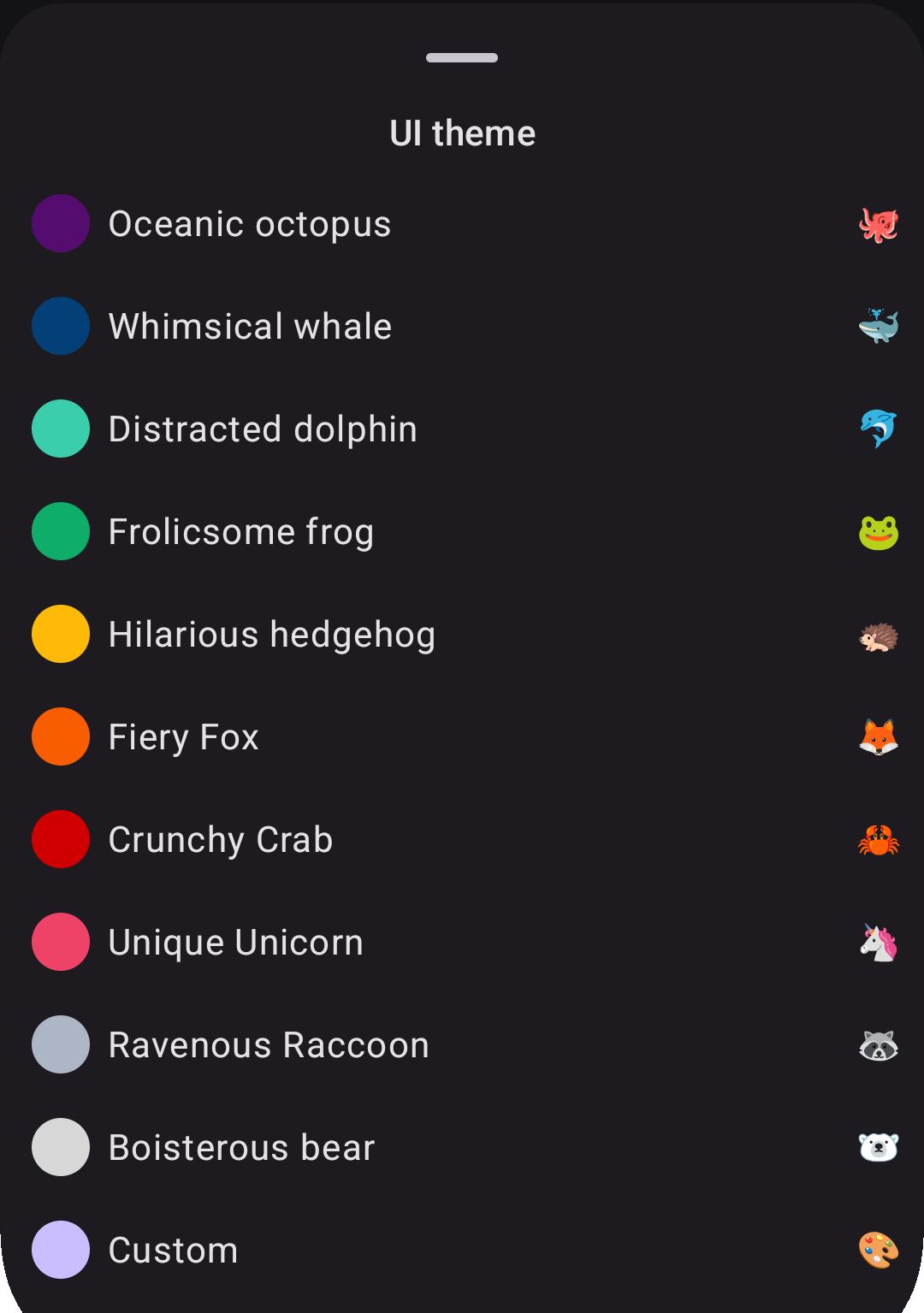
Instead of just displaying the colors and maybe the hex code in the preview, I decided to name themes based on an animal and to create noun-adjective alliterating pair, where both words started with the same syllable onset (or at least written with the same letter).

screenshot of theme selector
A screenshot of the theme selector bottom sheet in the app.

When translating this into languages other than English, I tried to retain the play on words and specified instructions for it on Weblate for collaborators.

When these instructions were respected, the result was indeed quite funny:

Italian

<string name="theme_color_blue">Balena ballerina</string>
<string name="theme_color_gray">Procione pasticcione</string>
<string name="theme_color_green">Rana rilassata</string>
<string name="theme_color_light_blue">Delfino distratto</string>
<string name="theme_color_orange">Volpe virtuosa</string>
<string name="theme_color_pink">Unicorno unico</string>
<string name="theme_color_purple">Piovra portentosa</string>
<string name="theme_color_red">Granchio galante</string>
<string name="theme_color_white">Orso originale</string>
<string name="theme_color_yellow">Riccio rampante</string>

Spanish

<string name="theme_color_blue">Ballena bailarina</string>
<string name="theme_color_gray">Mapache maloliente</string>
<string name="theme_color_green">Rana relajada</string>
<string name="theme_color_light_blue">Delfín distraído</string>
<string name="theme_color_orange">Zorro zancudo</string>
<string name="theme_color_pink">Unicornio único</string>
<string name="theme_color_purple">Pulpo portentoso</string>
<string name="theme_color_red">Cangrejo crujiente</string>
<string name="theme_color_white">Panda peludo</string>
<string name="theme_color_yellow">Erizo errante</string>

German

<string name="settings_theme_color_blue">Witziger Wal</string>
<string name="theme_color_gray">Wildgewordener Waschbär</string>
<string name="theme_color_green">Fröhlicher Frosch</string>
<string name="theme_color_light_blue">Desorientierter Delfin</string>
<string name="theme_color_orange">Feuriger Fuchs</string>
<string name="theme_color_pink">Einzigartiges Einhorn</string>
<string name="theme_color_purple">Ozeanischer Oktopus</string>
<string name="theme_color_red">Knusprige Krabbe</string>
<string name="theme_color_white">Brabbelnder Bär</string>
<string name="theme_color_yellow">Irrsinniger Igel</string>

French

<string name="theme_color_blue">Baleine balourde</string>
<string name="theme_color_gray">Raton-laveur rapide</string>
<string name="theme_color_green">Grenouille gaffeuse</string>
<string name="theme_color_light_blue">Dauphin distrait</string>
<string name="theme_color_orange">Renard raisonnable</string>
<string name="theme_color_pink">Licorne lunatique</string>
<string name="theme_color_purple">Pieuvre pantouflarde</string>
<string name="theme_color_red">Crabe croquant</string>
<string name="theme_color_white">Ours ouaté</string>
<string name="theme_color_yellow">Hérisson hilarant</string>

In some other languages, though, the same effect was not retained and only occasionally the alliteration is preserved, e.g. in Finnish the red theme 🦀 is "Rapea rapu" or in Russian the purple theme 🐙 is rendered as "Океанический осьминог".

Question

Do you want to help improving the existing translations or add a new one? Join our Weblate projects (here and here)!

Global localization: Building a truly international open source app

How a humanities background shaped the technical decisions behind Raccoon's multilingual journey

Let me start with an adaptation from the Raccoon for Lemmy manifesto:

Quote

our goal is to offer an experience where everyone can "feel at home"

This simple phrase encapsulates a fundamental principle — enabling users to interact with software in their native language isn't just a nice-to-have feature, it's essential for true accessibility and inclusion.

As someone who studied both computer science and humanities, with extensive coursework in foreign languages (English and Spanish), translation, and interpreting, I've always understood that localization goes far beyond simply translating text. My master's thesis focused on internationalization and open source localization tools, so when I began developing the Raccoon apps, multilingual support wasn't an afterthought — it was baked into the foundation from day one.

Our philosophy

A crucial aspect of making users truly own their application is allowing it to adapt to them, not the other way around. This means providing the most direct interaction possible, starting with language preference. When someone opens an app and sees their native language, there's an immediate sense of belonging — the software feels like it was made for them.

This philosophy guided every technical decision I made about localization infrastructure.

Mapping our global expansion

1. Build the foundation

I started by implementing support for the languages I could personally manage: English, Spanish, and Italian. This gave me direct control over quality and helped establish our localization workflow before opening it up to community contributions.

2. Community-driven growth

The Raccoon apps were adopted almost immediately across Europe, North and South America. Following true open source principles, I welcomed contributions from native speakers who wanted to help. The first community-contributed languages were: Portuguese (both European pt and Brazilian pt_BR variants, German and Spanish (community review and improvements).

3. Expand across continents

With a solid foundation in place, I proactively created base resources for additional European languages, hoping to attract new users and contributors. This strategy worked beautifully, bringing in contributions for: Finnish, French, Irish, Norwegian, Romanian, Polish, Ukrainian.

Our reach eventually extended beyond Europe's borders with the addition of Chinese (Traditional Taiwan zh_TW, Hong Kong zh_HK, and Simplified zh_CN) and Tamil.

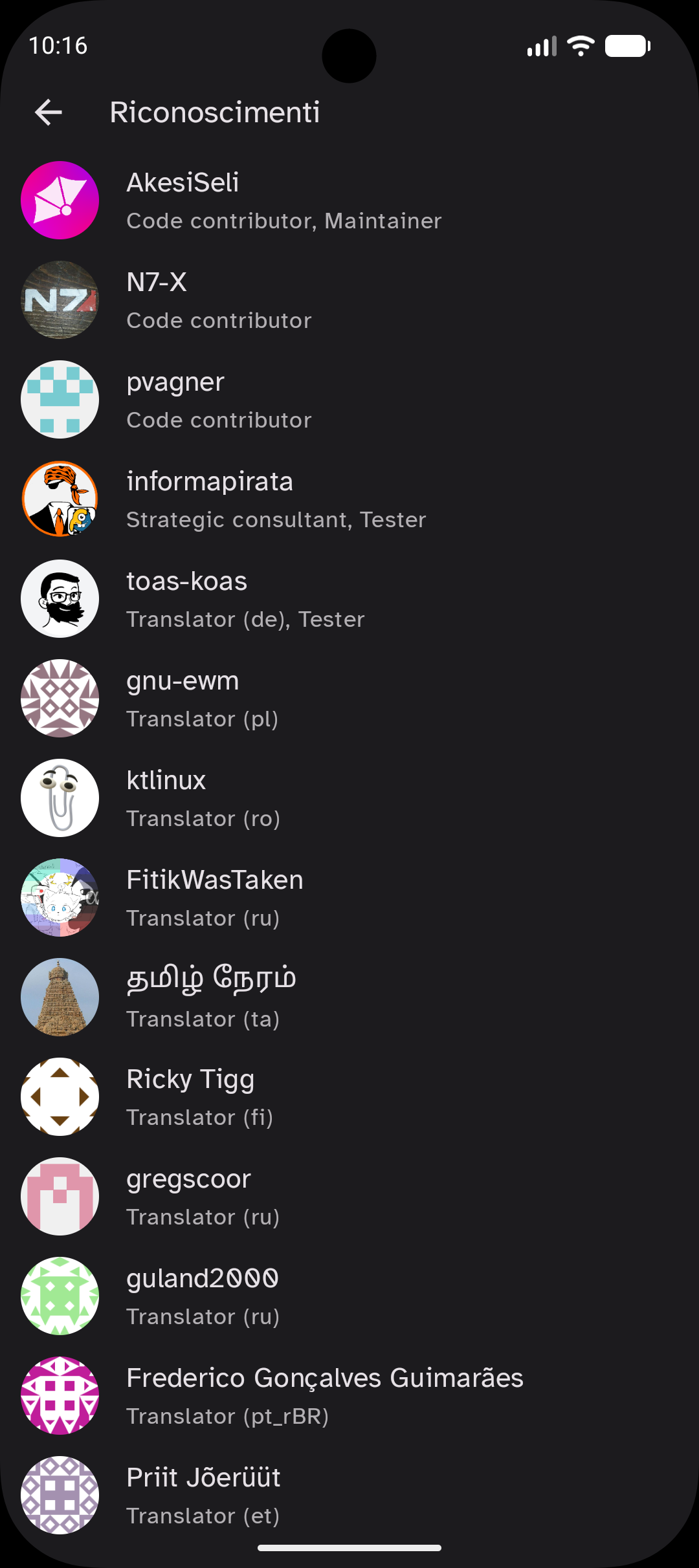
Each new language didn't just expand our user base — it brought new perspectives and cultural insights that improved the app for everyone. For this reason, I decided to create a dedicated «Acknowledgements» section in both apps and include all translators in the list of contributors, in order to give them visibility and recognize the importance of their work. The apps wouldn't be the same without it!

Our technical journey

Early days: third-party solutions (mid-2023)

When I launched the first Raccoon app in mid-2023, Compose Multiplatform lacked native localization support. I initially used Moko Resources, which worked well for simple cases but became unwieldy as our project grew in complexity. Having every module depend on resources created maintenance nightmares, especially with complex KSP (Kotlin Symbol Processing) configurations.

Lyricist (flexibility & tradeoffs)

As Compose Multiplatform evolved and added built-in support for resources like drawables and fonts, I migrated away from third-party dependencies, however, localization support was still missing in early versions (e.g. 1.6.0, released in February 2024).

Enter Lyricist, developed by the same team behind the Voyager navigation library I was already using. Lyricist offered excellent flexibility but came with significant challenges:

Option 1: XML processors

  • Advantage uses standard Android-style XMLs (converted to resource files);
  • Problem: Using format specifiers (%1$s, %1$d, etc.) may lead to invalid generated code;
  • Major issue: It completely broke reproducible builds, making F-Droid submissions painful.

Option 2: Plain Kotlin files

  • Advantage: Full control over string resources;
  • Problem: Not compatible with standard translation platforms like Weblate.

Collaboration challenges

Since these are community-driven projects, using professional translation platforms was essential. I still remember receiving Spanish translation reviews via email — there had to be a better way!

When I set up our Weblate projects, I was still using Lyricist, which meant I had to write Python scripts to convert between XML and Kotlin for every translation update. This manual process was error-prone and time-consuming, especially when using the Weblate-GitHub integration to open PRs with new translations, because I had to manually regenerate resources after every merge.

Native Compose Multiplatform

Finally, with version 1.6.10 (released in May 2024), Compose Multiplatform added native support for reading string values from the composeResources directory. This was the turning point — I could now use Android-style XML resources that seamlessly integrated with Weblate, eliminating conversion scripts entirely.

Lessons learned

Community is everything: native speakers don't just translate — they bring cultural context that makes your app truly feel local. It is important to acknowledge their work and give them visibility!

Tool selection matters: the right technical choices can make the difference between a maintainable internationalization system and a maintenance nightmare.

Start with strong foundations and design for extension: investing time in proper localization infrastructure early pays dividends as your project scales. I is important to write future-proof code and keep flexibility in mind because the ecosystem keeps evolving, and new solution may be worth embracing.

Platform integration is key: using tools that integrate well with translation platforms like Weblate dramatically reduces friction for contributors and allows them to focus on what really matters.

What's next

The localization journey continues. The foundation I've built makes adding new languages straightforward, and our community-driven approach ensures quality while fostering a sense of shared ownership.

If you're building a multilingual app, remember: localization isn't just about translating strings — it's about creating an experience where every user feels the software was made specifically for them. That's when you know you've truly succeeded in making your app feel like home.

Example

Want to contribute to Raccoon's localization efforts? Check out:

What happened to Raccoon for Lemmy?

Many people have wondered what happened during August 2024 to the Raccoon for Lemmy app. The original repository was completely shut down overnight, and development continued in what was then the main fork — fortunately updated to the latest commit before the shutdown.

The fork was initially owned by a contributor called N7-X (who had already submitted multiple PRs upstream during the previous months), then transferred to new ownership and hosted within an organization, with N7-X and Akesi Seli as main contributors.

What happened, and more importantly, why? This article recaps the situation before and after the change to clarify things for the community.

Just a side project…

The app was initially hosted here (latest available snapshot from the Internet Archive) and had been primarily developed since mid-2023 by a developer from Italy as a side project to experiment with Kotlin Multiplatform technology.

External contributions were always welcome. During spring 2024, N7-X began contributing, starting with smaller tasks and gradually taking on more significant features — including Markdown support — eventually becoming a de facto co-maintainer.

The Markdown benchmark incident

On August 1st, 2024, this post was created in the Lemmy Apps community on lemmy.world. The moderator conducted a benchmark evaluating Markdown rendering across different Lemmy clients, scoring each app based on predefined test cases.

The benchmark's goal was constructive: raise awareness about Markdown rendering issues so the community could work together to improve the Lemmy ecosystem during a critical period when the user base was fragmented across various competing platforms.

However, Raccoon had issues rendering tables correctly, and some format checks incorrectly evaluated text within poorly-rendered tables. This caused the app to be «marked down twice when it shouldn't have» (see here), resulting in an initially very low score (not even 5 out of 10), before the post was updated.

Unintended consequences

What followed was unexpected and unfortunate. People began complaining about Raccoon's poor performance, others suggested migrating away from the app, and the main developer started receiving notifications and negative reviews (during his summer vacation).

He suddenly realized his real identity was publicly visible and that the negative feedback could damage his professional reputation. Concerned about potential impact on his current job and future career prospects, he made the difficult decision to shut down the original repository.

Community-driven revival

The original developer was planning to create a new anonymous account and republish the app with a different package name, but before he could do so, the community had already adopted N7-X's fork as the new "official" version of Raccoon.

Recognizing the community's decision, the original developer worked with the co-maintainer to perform a comprehensive migration: changing the package name, updating URLs for remote assets, and moving the project to a neutral organization account.

Better than before

The transition proved beneficial for the project. The new team gradually restored and improved all aspects of the app, including:

  • enhanced Continuous Integration workflows;
  • improved test coverage calculation;
  • shared build logic among modules with Gradle convention plugins;
  • better quality assurance with static analysis tools.

Today, Raccoon for Lemmy is in better condition than before, with active community support and ongoing development. While the circumstances that led to the transition were unfortunate, they ultimately resulted in a stronger, more sustainable project structure.

The incident serves as a reminder of both the challenges facing open source maintainers and the resilience of community-driven development when people come together to support valuable projects.

Building modern Fediverse apps in KMP & Compose: the perfect match

The Fediverse represents the future of social media — decentralized, open, and user-controlled. As platforms like Mastodon, Friendica, and Lemmy gain momentum, developers face a crucial question: how do you build modern, cross-platform applications that can keep pace with this rapidly evolving ecosystem?

The answer lies in Kotlin Multiplatform (KMP) combined with Compose Multiplatform (CMP) — a technology stack that is uniquely suited to solve what I refer to as «Fediverse development challenge».

The Fediverse development challenge

Platform fragmentation

Modern users expect native experiences across mobile, desktop, and web platforms. Traditional approaches usually force developers to choose between:

  • building separate native apps (which is expensive and slow to iterate)
  • creating web-only solutions (with the disadvantage of limited platform integration )
  • using older cross-platform frameworks for app development (which may imply performance tradeoffs or increase the side of the app package).

Protocol complexity

Fediverse protocols like ActivityPub are intricate, requiring sophisticated networking, JSON parsing, proper state management and a well-designed and future-proof implementation.

Duplicating this logic across multiple platforms introduces maintenance overhead for sure, plus it may potentially lead to bugs.

Rapid evolution

The Fediverse moves fast: new features, protocol extensions, and federation behaviors emerge regularly. The development stack needs to support quick iterations and seamless updates across all platforms, in order to adapt to changes rapidly, release quickly and reach the widest possible audience.

Why Kotlin Multiplatform?

Share what you want, when you want

KMP is flexible and allows you to choose what to share: for example, you can share the complex business logic — ActivityPub implementation, federation handling, data models, and networking — while keeping platform-specific UI native. Otherwise, you can also share some UI parts or, if you are brave enough, all of it with Compose Multiplatform (CMP) as we do in Procyon.

The key concept is, it is not an "all or nothing" choice where you either opt in or opt out completely at once, you can gradually choose what to share and when to do it, which gives you as a developer great power (even to roll back some of your decisions if you want to).

The expect/actual mechanism, moreover, makes it possible to access underlying operating system features (such as filesystem, gallery, camera, video playback, push notifications, inter-process communication e.g. sharing data to other apps or receive data from other apps through deep links) when you need them, defining your own abstractions to call from common code.

Type-safety

Kotlin's strong type system and sealed classes make it excellent for modeling ActivityPub entities and activities. You can create robust, compile-time-safe representations of posts, actors, and interactions that work identically across all platforms.

There are even libraries, like LemmyBackwardsCompatibleAPI which offer abstractions for Lemmy data types and a unified adapter to endpoints which make it transparent for client-apps developers which version of the backend is used by the current instance.

Networking & serialization

Libraries like Ktor, Ktorfit and kotlinx.serialization provide first-class support for HTTP clients, API modeling and JSON parsing — essential for Fediverse applications that constantly communicate with various servers and handle complex data.

Using these three libraries in conjunction (with KSP, the Kotlin Symbol Processor) makes it extremely simple to define endpoint calls, handling asynchronous result and errors in an idiomatic way. Dealing with KSP in a multi-module and multi-platform project may pose some difficulties, nonetheless, stay tuned for updates on this in future posts.

Structured concurrency

Kotlin coroutines excel at handling the asynchronous, real-time nature of social media apps. Parent-child relationships between tasks, when background operations are tied with the lifecycle of a screen, allow to gracefully cancel tasks when their result is not needed, saving battery power and limiting data transmission over the network.

Compose Multiplatform

Declarative UI

Social media interfaces are inherently complex — timelines, media galleries, thread visualizations for discussions, and real-time updates. The declarative approach of Compose Multiplatform makes these interfaces easier to build and maintain than traditional imperative UI frameworks.

Consistent design systems

Fediverse apps benefit from consistent branding and behavior across platforms. Compose Multiplatform lets you implement your design once and deploy it everywhere, ensuring users get the same experience (no matter whether they're on Android, iOS, desktop, or web).

Material Design 3 is a modern and robust design system which ensures consistency, accessibility and customization options.

Performance where it counts

Unlike web-base cross-platform solutions, Compose Multiplatform compiles to native code, providing the smooth scrolling and responsive interactions that social media users expect, which are especially important to make the Fediverse as engaging as possible for users and promote its adoption.

Real-world advantages

Faster federation support

When new ActivityPub extensions or features emerge, you can implement them once in shared KMP code and immediately have support everywhere. This is crucial to keep up with the fast-moving Fediverse ecosystem.

For example, Raccoon is going to provide Lemmy 1.x support to all its target platform (Android, iOS) at once, see this issue to monitor the state of integration.

Simplified testing

Not only the implementation code is shared, with KMP you can also share tests. For business logic this is pretty straightforward (more on this in future posts, especially for mocking libraries) — whereas UI tests need a device to run (iOS simulator, Android emulator, etc.) but it is nonetheless possible to write tests once and run them on multiple devices (more on this here).

Community contributions

A single, well-structured Kotlin codebase is more approachable for open-source contributors than maintaining separate applications. This matters for Fediverse projects that often rely on community development, when the workforce is often limited to few volunteers.

Leverage a rich ecosystem

The Kotlin and Compose Multiplatform ecosystem has matured significantly over the past few years and at Procyon I've seen it grow from 2023 on.

Key libraries for Fediverse development include:

Conclusion

Building a modern Fediverse app requires balancing rapid development, protocol complexity, and user experience across multiple platforms.

Kotlin Multiplatform and Compose Multiplatform provide the perfect foundation — letting you focus on what makes your Fediverse app unique while sharing the complex domain code that makes your app work.

The Fediverse represents a return to user agency and open protocols. Your development stack should embody those same principles: open, flexible, and designed for the long term. Kotlin Multiplatform and Compose Multiplatform deliver exactly that.

Tip

Ready to build the next great Fediverse app? The tools are here, the protocols are maturing, and the community is waiting.